10 gennaio 2026 16:00
The Ultimate AI Travel Planner: The App I Built to Organize Every Trip Down to the Last Detail
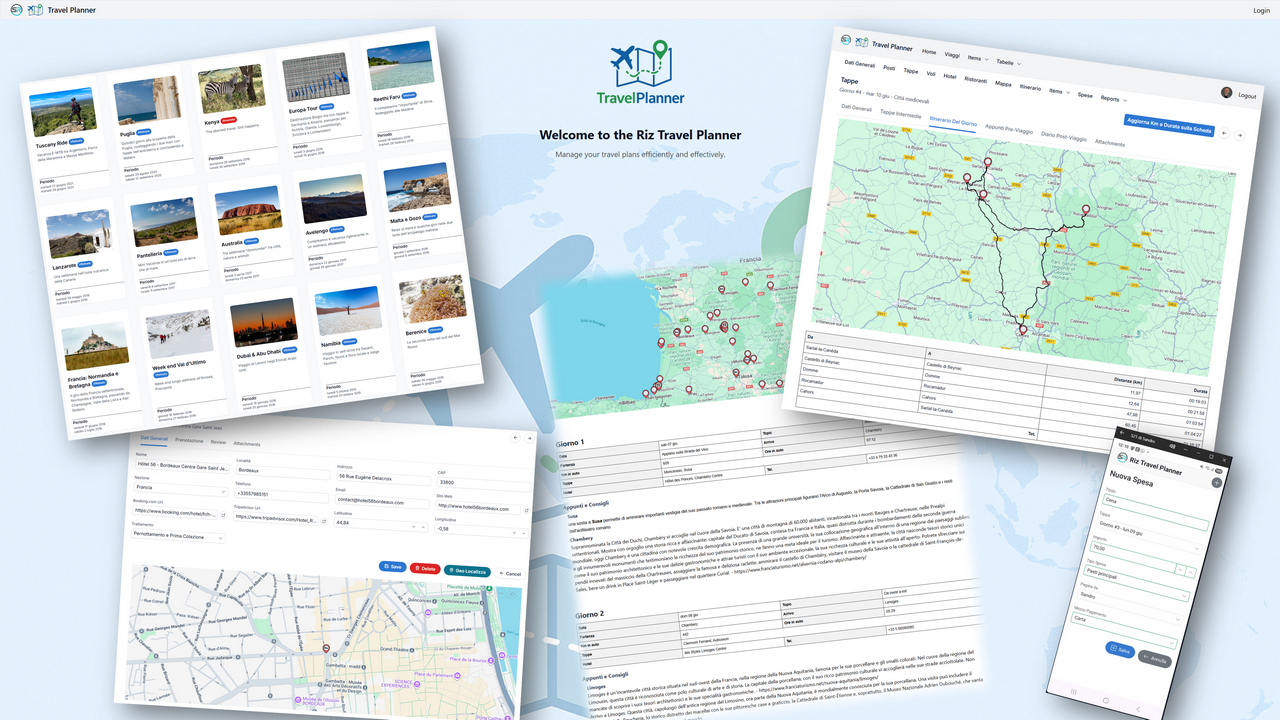
This is an automatic translation of a post about the development of software for personal use. Unfortunately, the screenshots are only in Italian, as that is the only language available in the user interface. Many thanks to Syncfusion for its Community License, which allows its component library to be used for non-commercial purposes.
Over the years, I’ve tried just about everything to organize my trips: from the legendary Microsoft AutoRoute to many years of Evernote, Google Drive folders full of documents and spreadsheets, dedicated apps such as Wanderlust, specialized Notion templates, and much more. None of them, though, gave me exactly what I was looking for: a single, consistent, comprehensive system built above all around my way of organizing a trip.
So, during a dull summer working as a systems administrator (migrating and installing Windows 10/11 on dozens of PCs), I decided to do what any masochistic developer would do when faced with a recurring problem: build my ideal software from scratch in my spare time. The result is a web application that I now use to plan every trip, from the first idea to the final travel journal.
After I published a video log of the first version, a dear friend (“a plague on him...” :-) ) demolished me with comments like “It’s OLD software, there’s no AI in sight, you have to do everything by hand...” and so on. So, over a couple of free days during the Christmas holidays, I packed it with a few new AI features that really can be very helpful.
For the less boomer-inclined among you who prefer video presentations to words, here’s a demo of everything implemented so far (video logs are great... and the technical side is such fun: using OBS, my Canon mirrorless camera as a webcam, audio out of sync, PC freezes, notifications ruining the “live show,” and so on. It took me longer to make this video than half the software :-) )
TIP: Watch on Youtube and turn on English Caption
The AI features I couldn’t leave out
In version 1.0, to give it a touch of modernity, I had only integrated an artificial intelligence model trained on my past travel journals. I developed it mainly as a learning exercise (RAG, LLMs, vector databases, etc.), and it lets me explore my travel history in a completely new way.
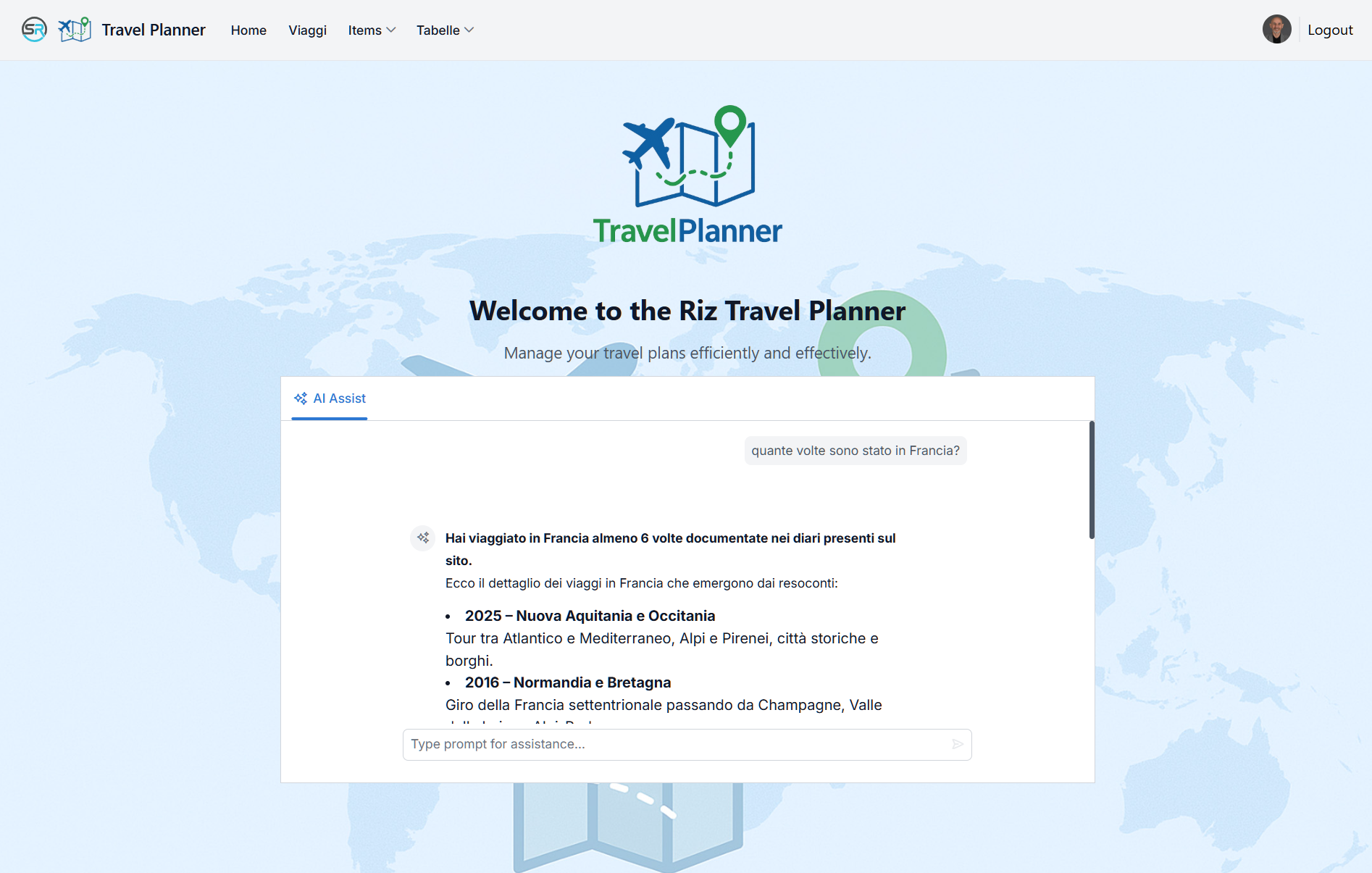
The other AI features are more directly geared toward planning. They can:
- generate general content about a trip
- suggest destinations, places, and attractions
- provide detailed suggestions on what to see at each place
- generate lists of hotels and restaurants based on the overnight stops
- fill in details and relevant links for various entries
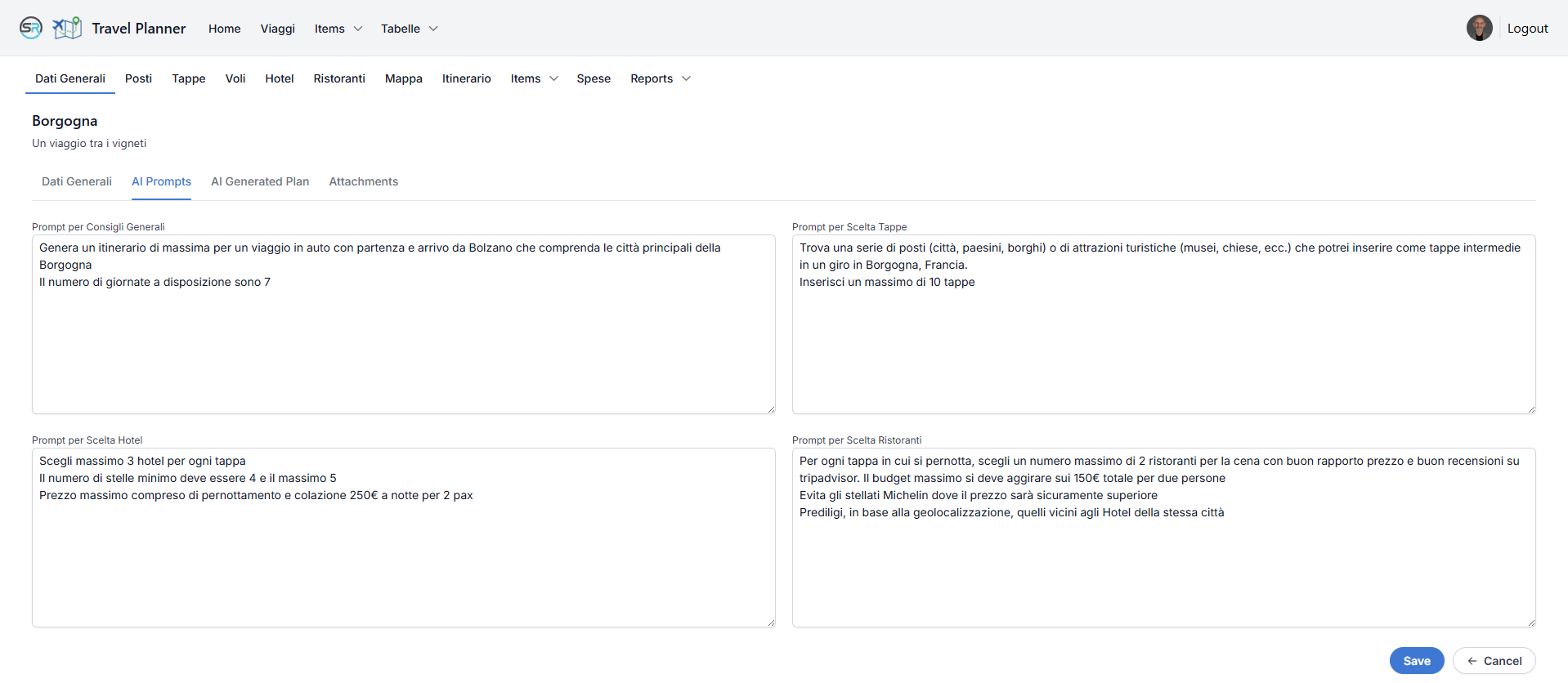
All this is guided by a set of user prompts entered in the trip’s general information, making the requests sent to the AI very flexible (click to zoom in and see an example...).
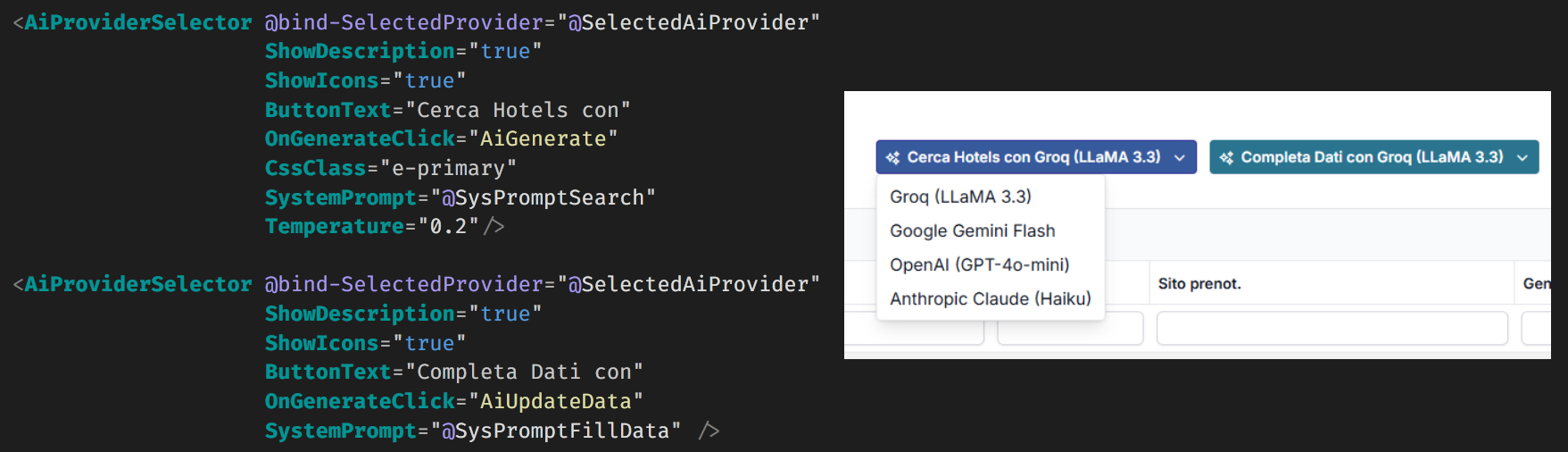
For this purpose, I developed a reusable Blazor component that takes those user prompts together with system prompts containing more specific instructions (for example, to always respond in JSON rather than markup/HTML, so I can add the information to the database more quickly according to my schema). The component also uses a generic factory provider, so each time I can choose an implementation (Grok, Gemini, ChatGPT, Claude) based on cost (free APIs or different price points) and how satisfied I am with the results (that’s the end of the geeky digression... I promise).
A dashboard that tells the story of your travels
The Travel List brings together all past, present, and future trips, each with its own status: completed, postponed, canceled, being planned, or underway.
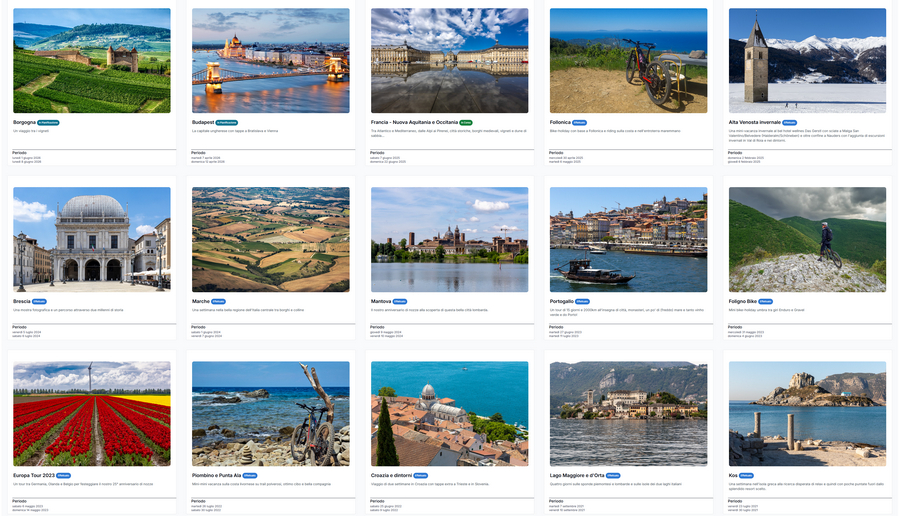
Each trip is a structured hub for stops, cities, tourist attractions, flights, hotels, restaurants, expenses, notes, and attachments—all in one place.
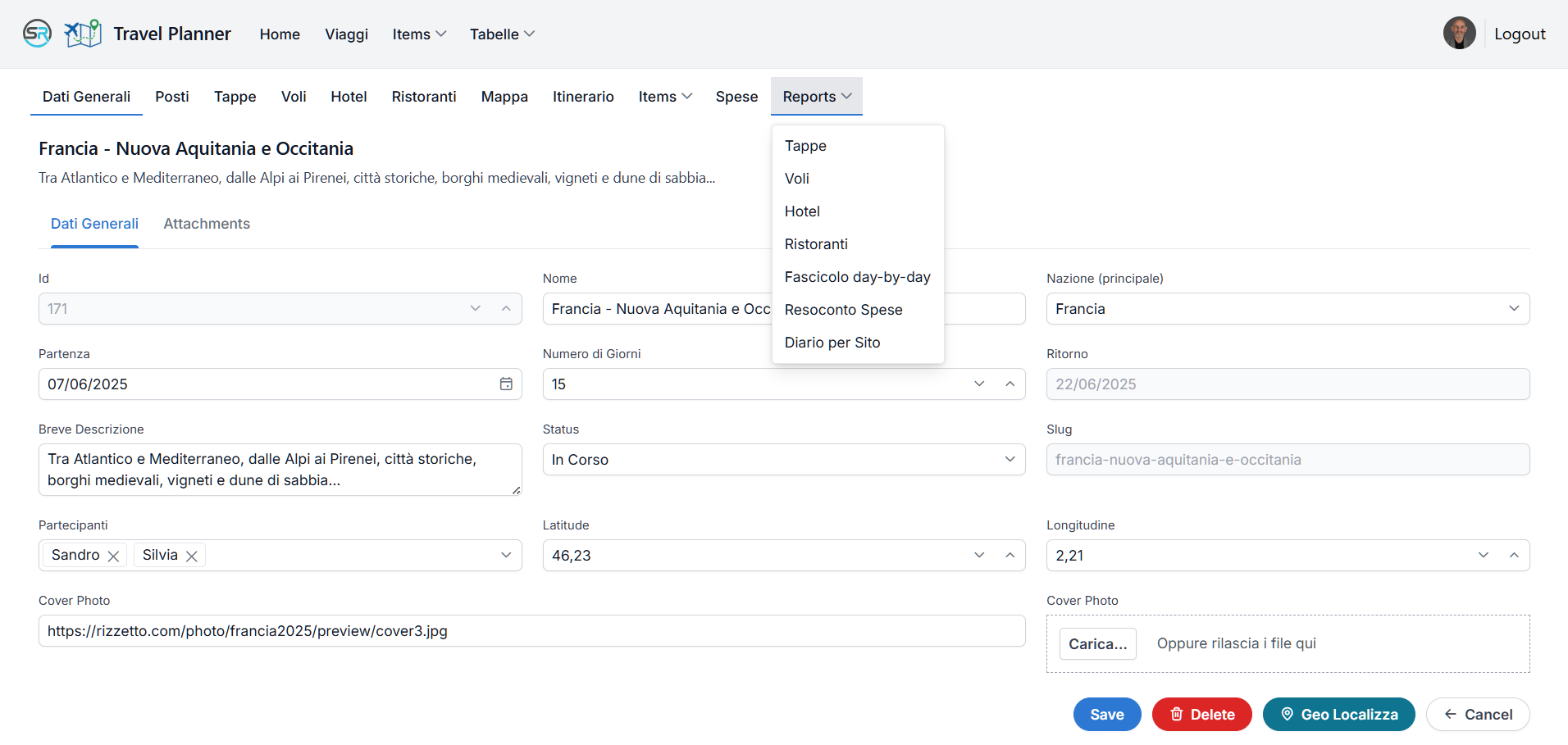
From departure date to a day-by-day itinerary
My planning process is fairly simple: I set a departure date, the number of days, and a general destination. The software then automatically creates the travel days, which I start filling in with a possible starting point and destination. As planning progresses, the list fills up with intermediate stops, hotels, and restaurants—and, after I return, even data from my smartwatch app!
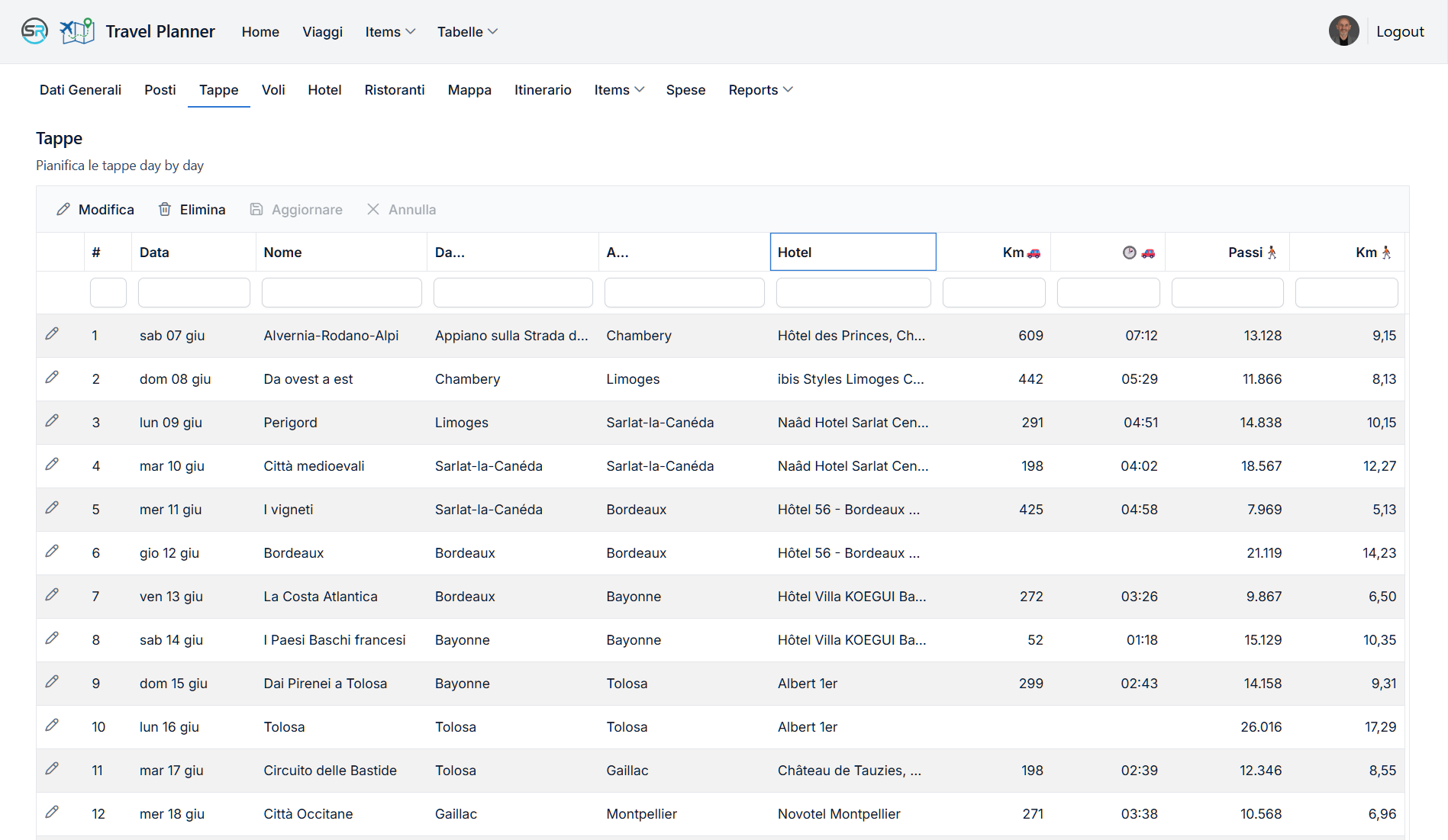
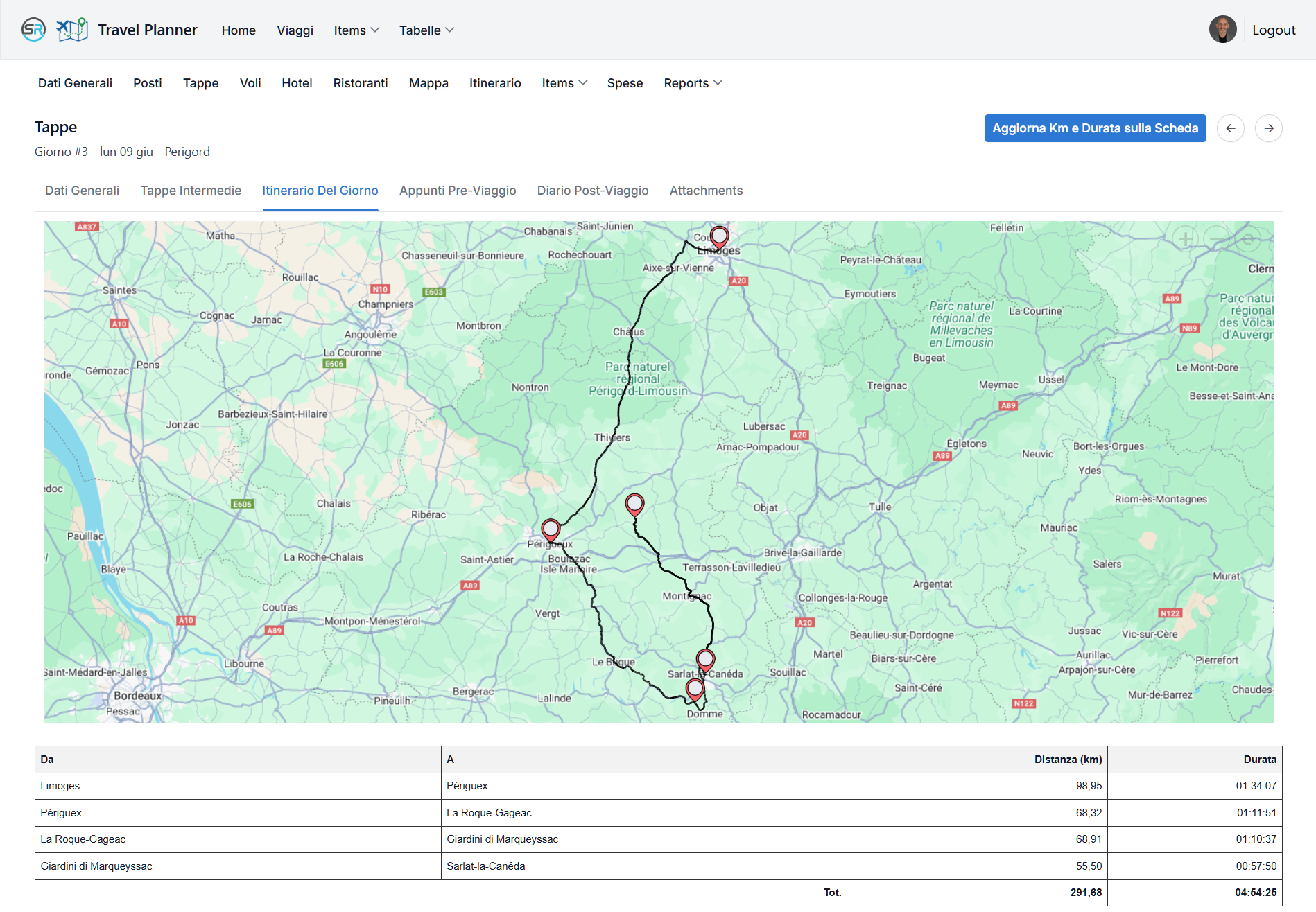
Each day can be a single stop or a route with several intermediate stops, including a loop.
The key point is that the application immediately shows:
- total distance
- travel times
- whether the day is actually feasible
This solves one of the limitations I’ve always encountered with Google Maps (a maximum of 10 layers and 10 points of interest per layer), and makes it clear right away whether I’m building a manageable tour... or an exhausting one.
Attractions, cities, and notes: everything in its place
Starting with the classic “10 things to see in...” searches, I add each attraction to the database (or let the AI add it for me). Google’s APIs geolocate it automatically, and the software lets me see immediately whether a day’s intermediate stops are realistic in terms of distance and travel time.
Besides a memorable cover image, a photo gallery of sample images from the internet, and geolocation, each entry has space for notes collected before departure that will be useful on site. After the trip, there’s also a section for impressions and memories that will become part of the travel journal.
Attachments everywhere: documents always at hand
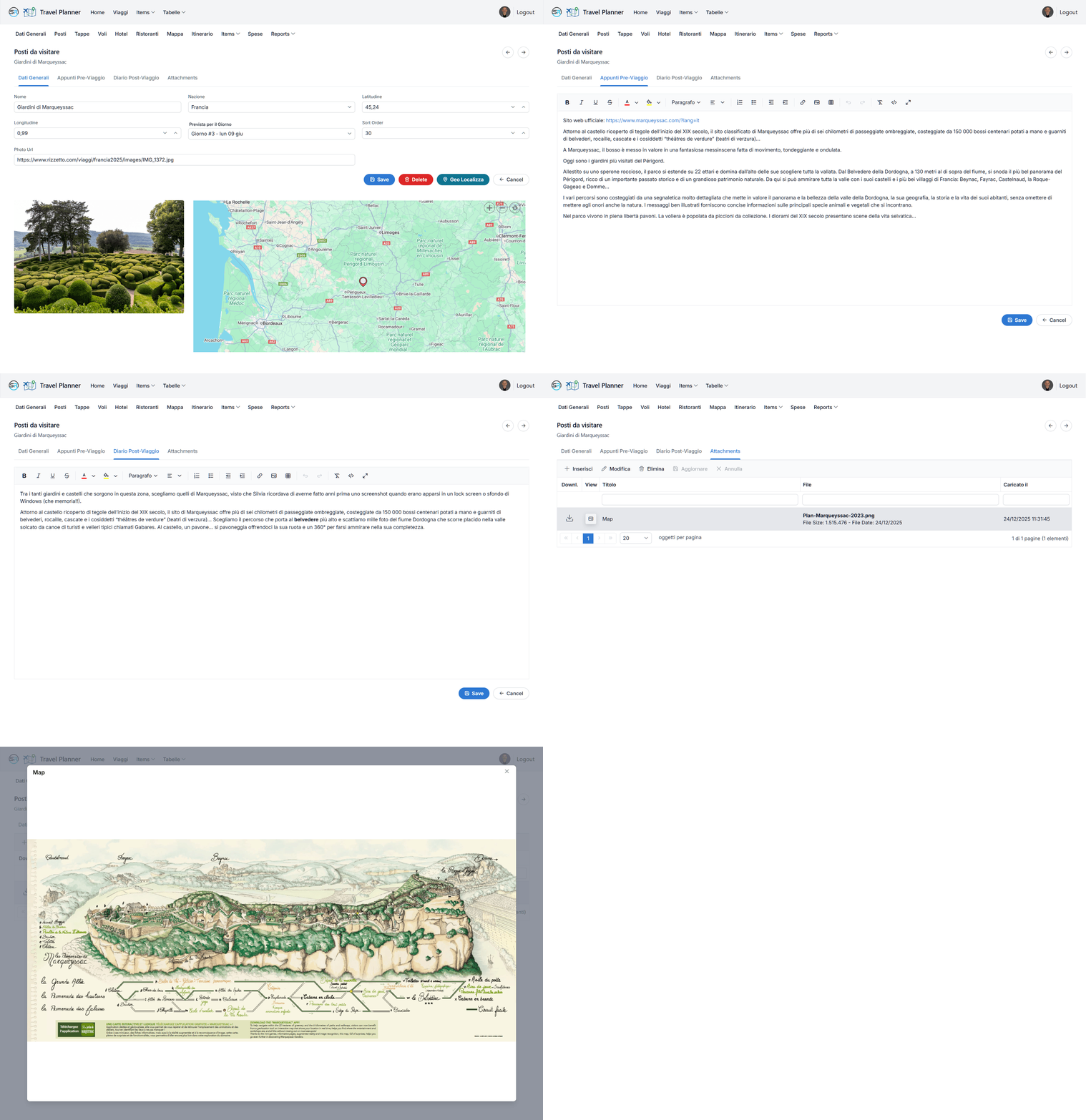
One of the most useful features is the shared attachment system, available practically everywhere.
Tickets, boarding passes, public transport maps, booking confirmations: everything is available in the right context, without having to search through email, cloud storage, or scattered folders.
A viewer for the most important file types (images, PDF, DOCX, XLSX) is built in, thanks to the advanced Blazor components in the library I use (SyncFusion)
Advanced flight management
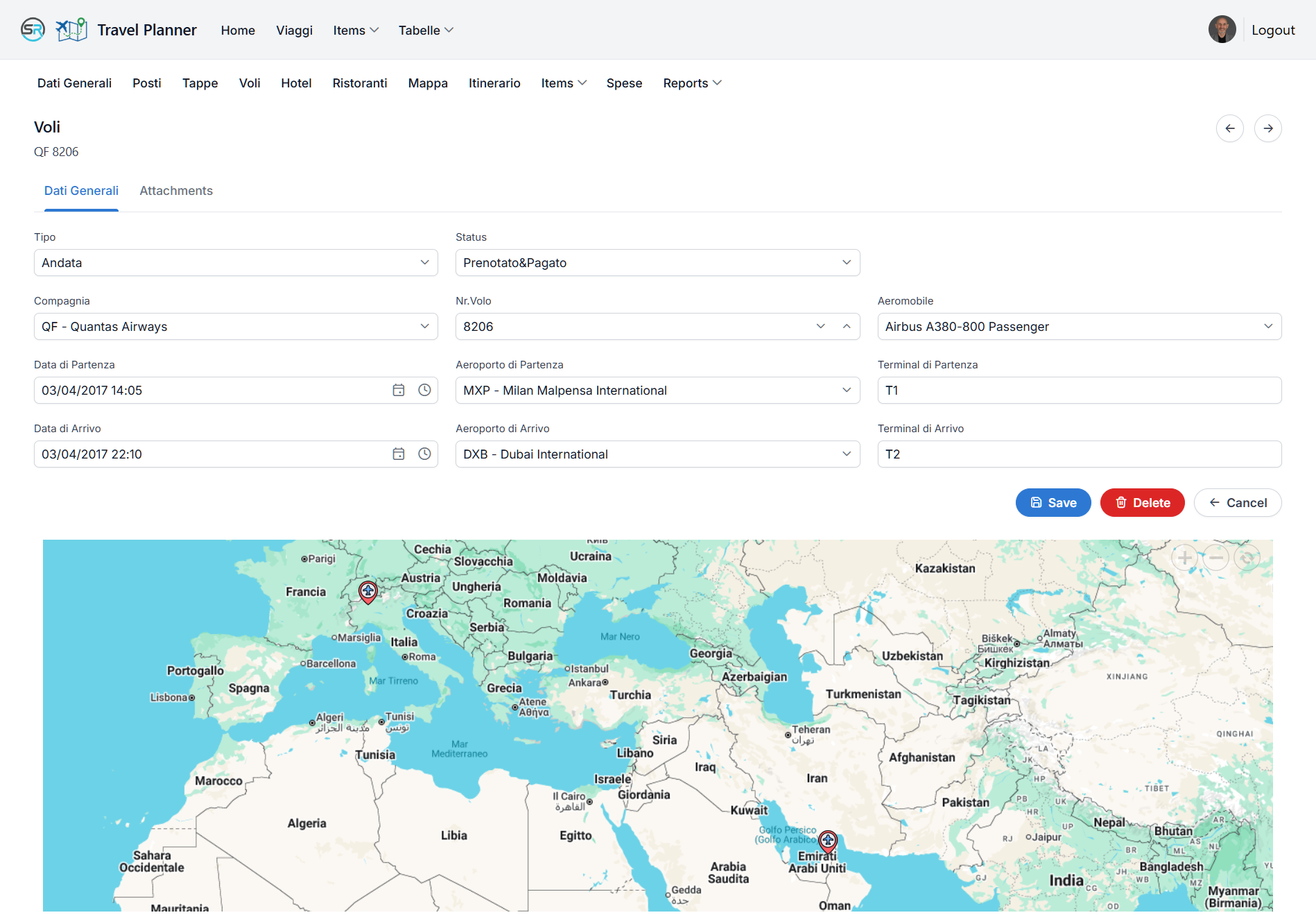
For trips that involve flying, I’ve added a dedicated flight module.
I can enter:
- outbound and return flights
- layovers
- domestic flights
- airline
- flight number
- aircraft type
- departure and arrival airports
- terminal
- attachments such as boarding passes, terminal maps, check-in confirmations, and so on
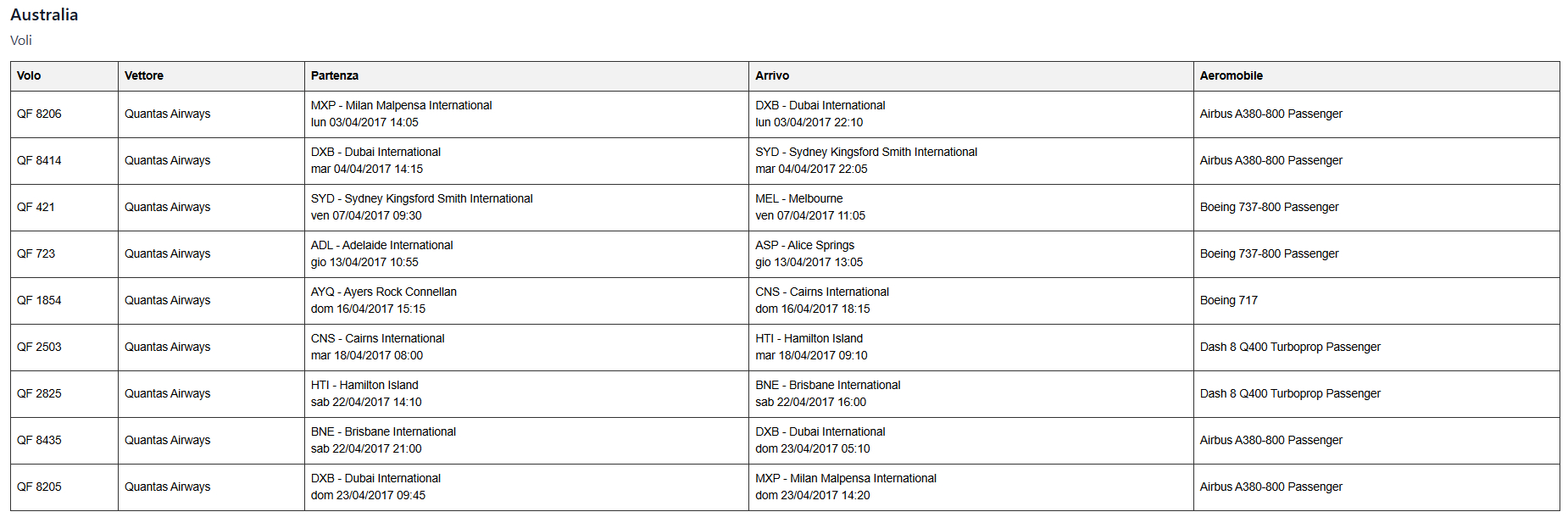
I’ve integrated public databases covering more than 8,800 airports (complete with IATA and ICAO codes), as well as all the major airlines and aircraft types. The result is a clear flight report that’s especially useful when time zones, date changes, and connections come into play.
Hotels, restaurants, and bookings under control
Once the stops are set, hotels and restaurants come into play.
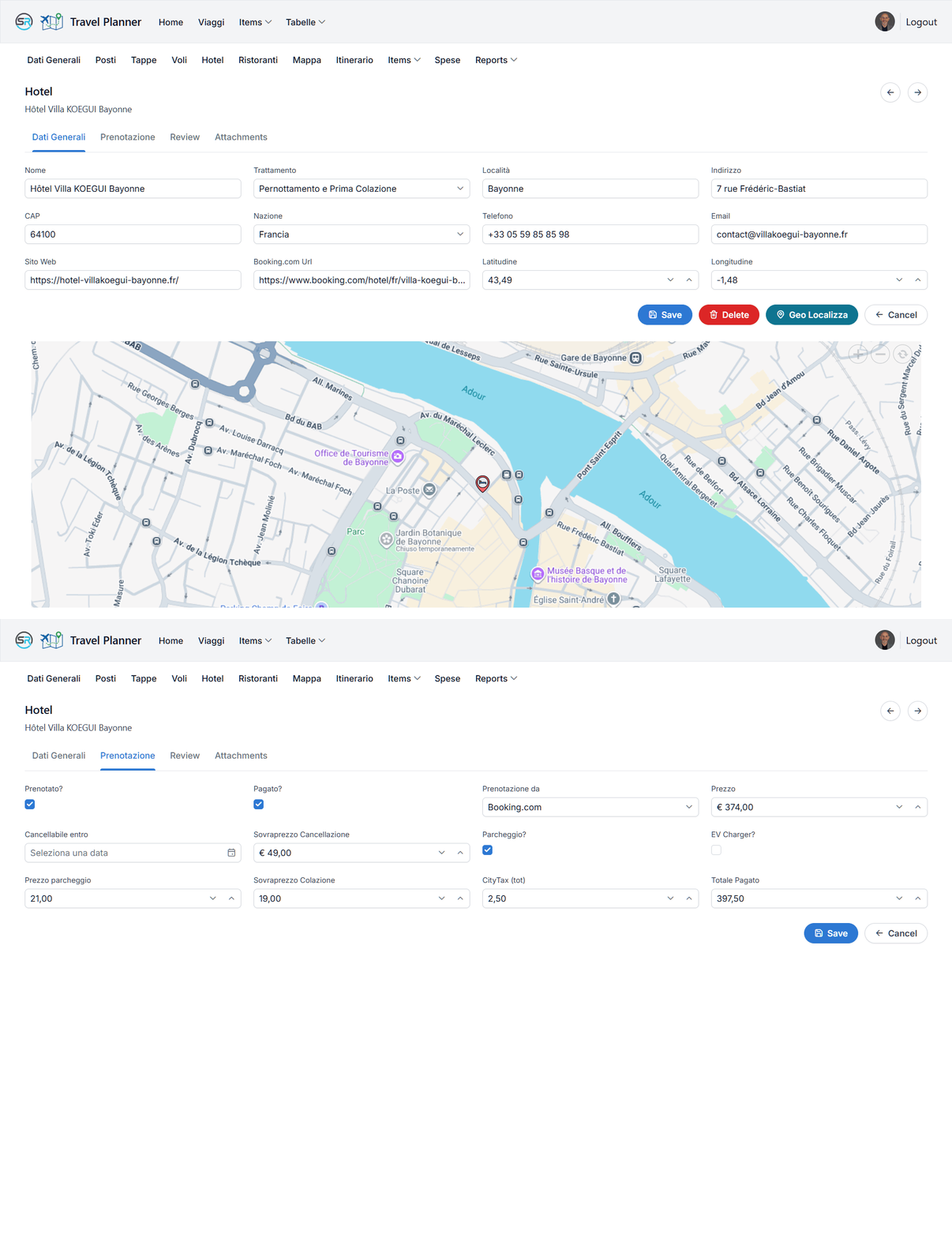
The hotel module lets me:
- ask the AI to suggest hotels matching my requirements (budget, star rating, preferred chains, etc.)
- save all the properties I’m considering
- confirm the ones I’ve booked
- record prices, terms, and amenities
- attach documents and confirmations
The same goes for restaurants: I can note the ones I want to try, record my experiences, and add short reviews.
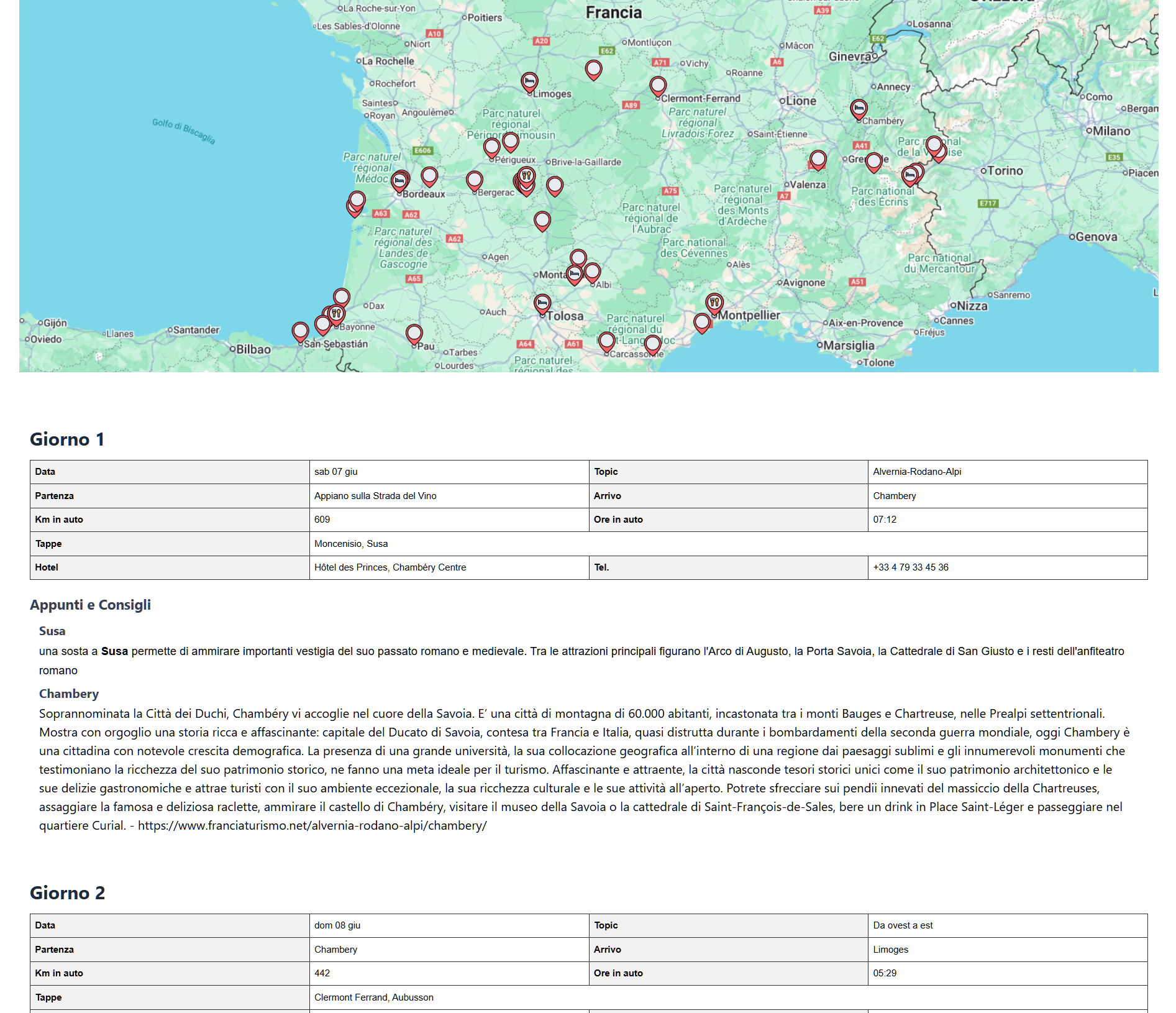
Everything comes together in a day-by-day summary that shows, for each day:
- distance
- driving hours
- where I’m staying
- what I’m visiting
- practical notes
Splitting expenses (perfect for group trips)
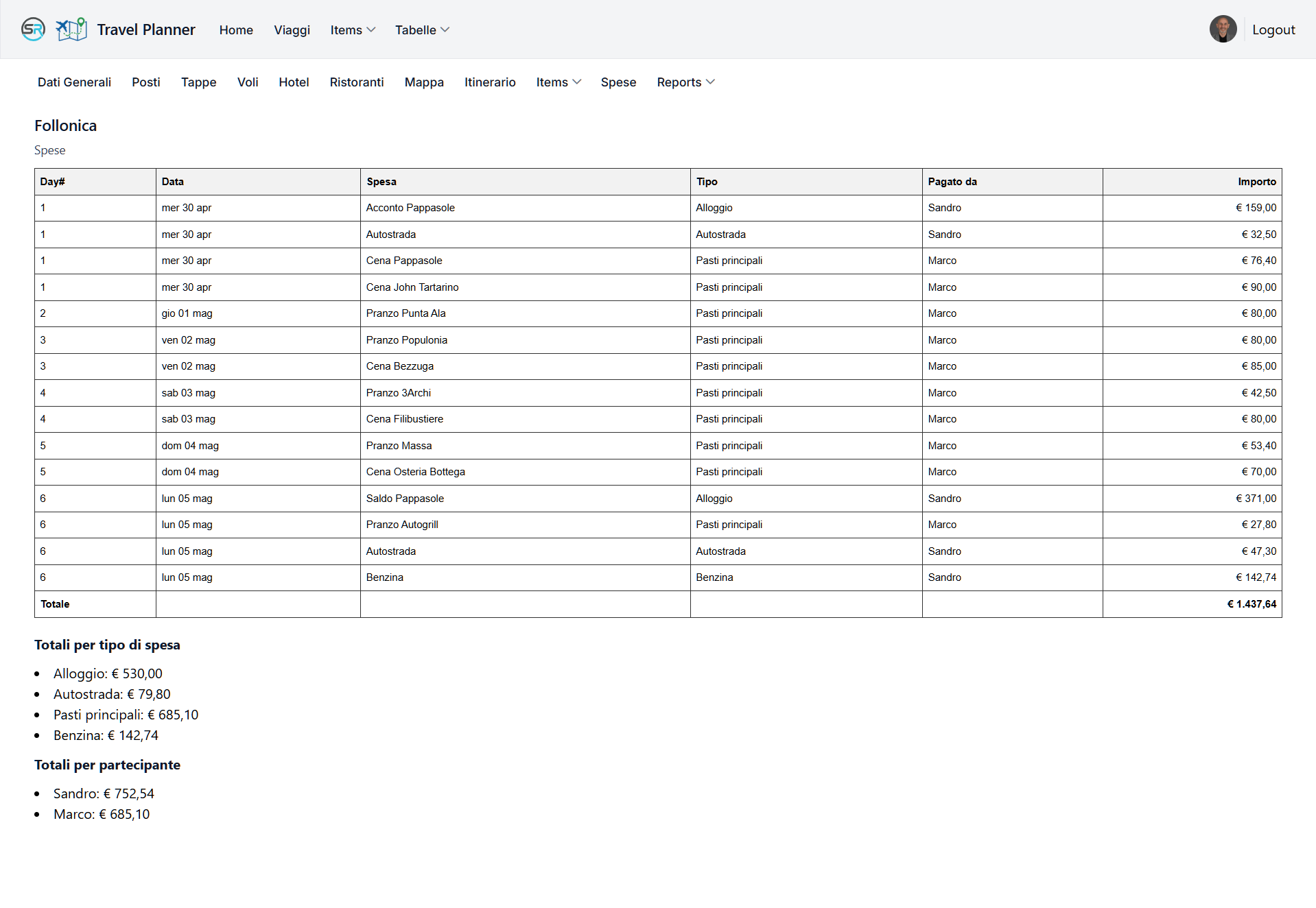
For group trips (such as the bike trip I take with a friend once a year), I added an expense-splitting module. Just enter who paid for what, and the software automatically generates a report showing how much each participant owes the others (along with a little statistical analysis based on expense categories).
Mobile app: the trip always in your pocket
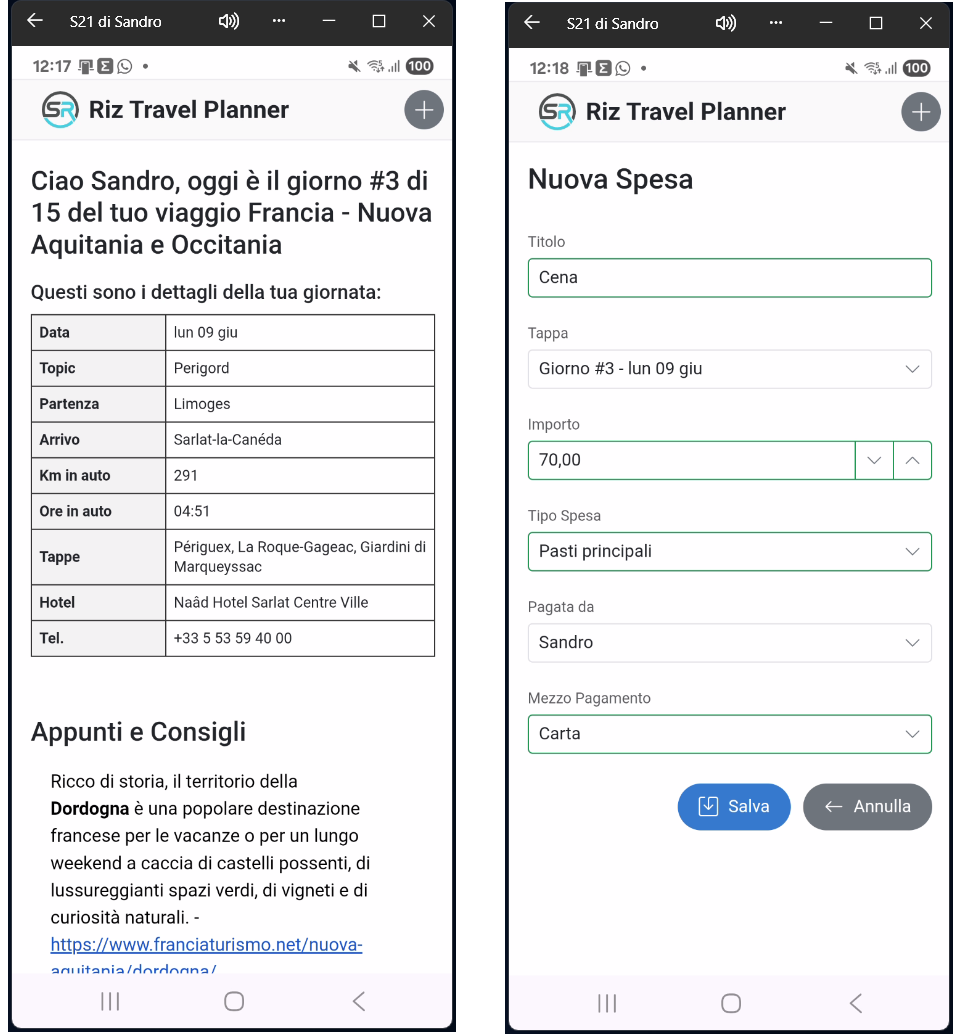
Since the application is built in Blazor, I also created a mobile version (Blazor Hybrid / MAUI).
When I’m traveling:
- the app recognizes the trip in progress
- it automatically identifies the current day
- it immediately shows the day’s plan
Adding an expense, checking a note, or looking up a detail is quick and easy, right from my phone.
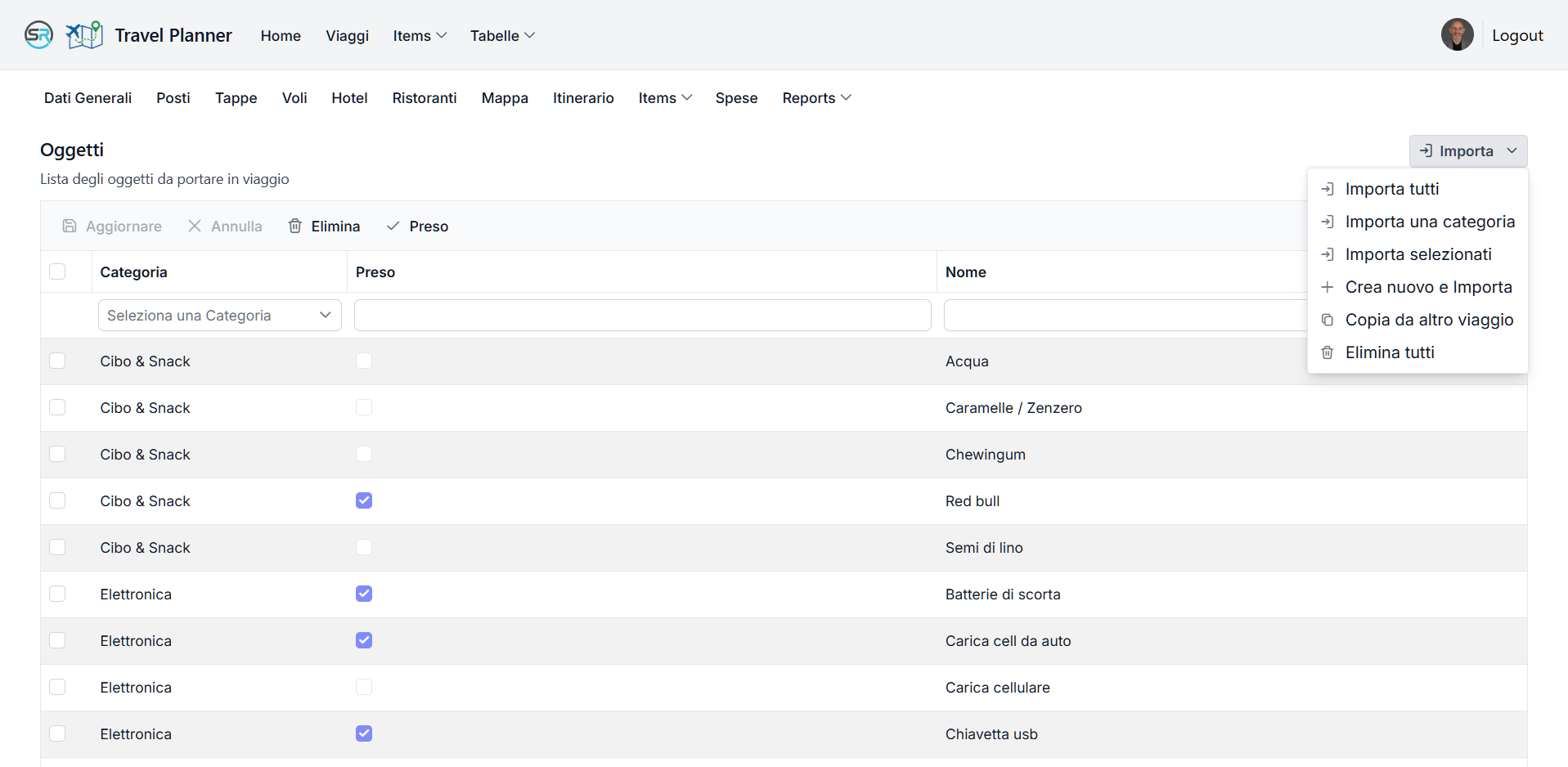
Smart checklists for luggage, medication, and to-dos
Over the years, Silvia has accumulated all kinds of Excel lists. Now everything is centralized in a single library organized by:
- items
- clothing
- medication
- pre-departure tasks
I discovered that clothing has an almost “official” categorization (see below), and there are standard categories for other items too. I added my own categories to those, such as photography gear and mountain biking clothing and protective equipment.
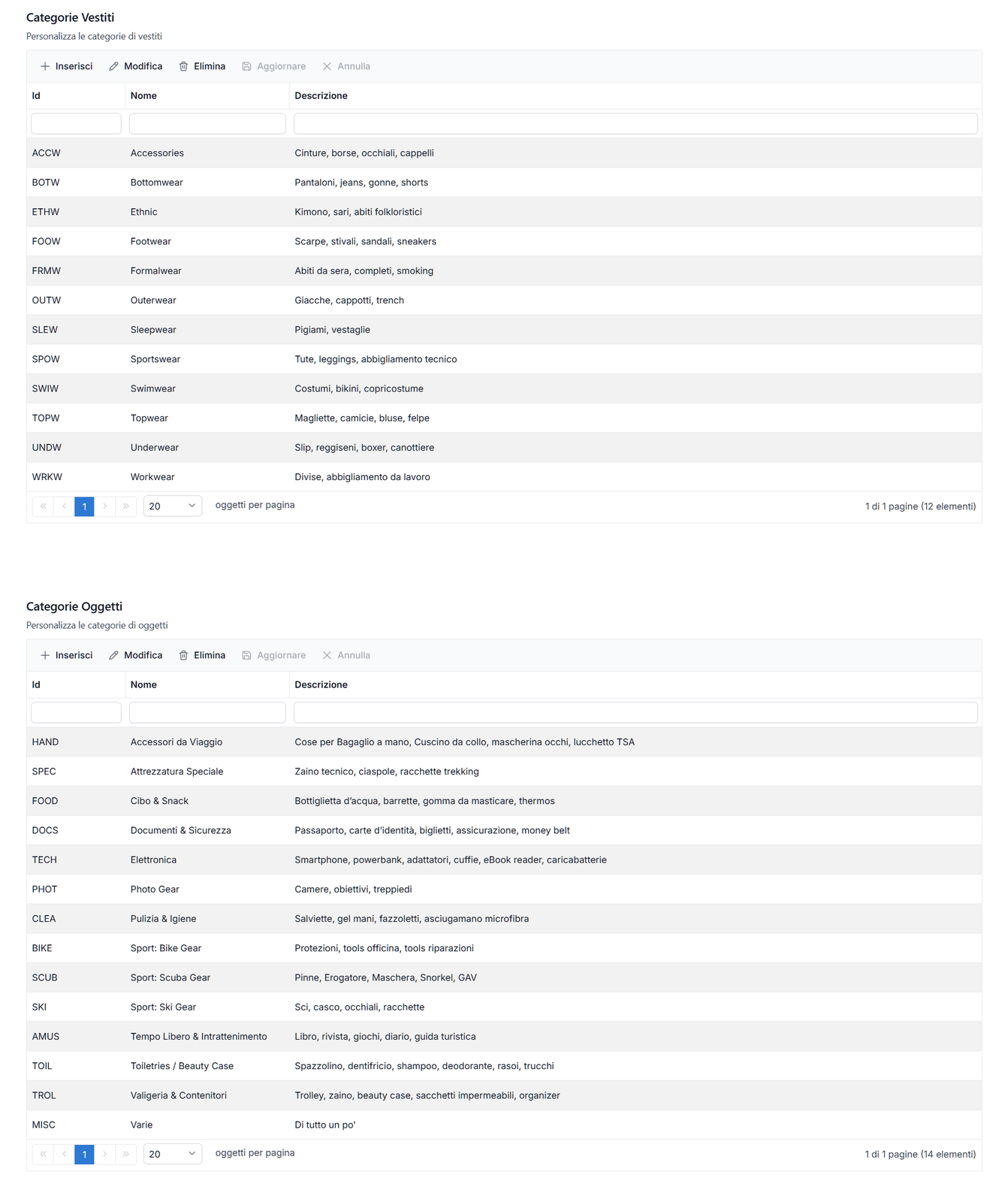
Each trip can import the necessary categories from a previous trip or through various wizards (for example, sportswear for a snow trip or scuba gear for a seaside trip), then generate a complete checklist with “packed/to pack” status, or “done/not done” for to-dos.
An automatically generated travel journal
When I get back (or sometimes while I’m away, in the hotel in the evening), I can fill in the journal day by day, stop by stop.
The system automatically generates a complete travel journal (like this one...) with photos for every stop, descriptions, reworked notes, and an HTML structure ready to publish on any website.
It’s one of the parts I love most, because it turns planning into memories.
Conclusion
This project started as a summer side project, but it has become the tool I always wanted: comprehensive, flexible, customizable, and above all built around my way of traveling.
Personal web apps like this give me the most satisfaction because, just like meteo-altoadige.it, mtb.rizzetto.com, and myreviews.rizzetto.com, I use them almost every day.
If you also love planning trips meticulously, I hope this behind-the-scenes tour has piqued your curiosity.
The software wasn’t intended as a commercial product. It’s a personal tool built around my way of traveling. So you may be wondering why I spent time describing it... To avoid having to explain it to friends and family every time the subject comes up! And if some venture capitalist wants to help me reach FIRE early by buying the rights and source code, I’m all ears! :-)
Happy travels and happy planning!